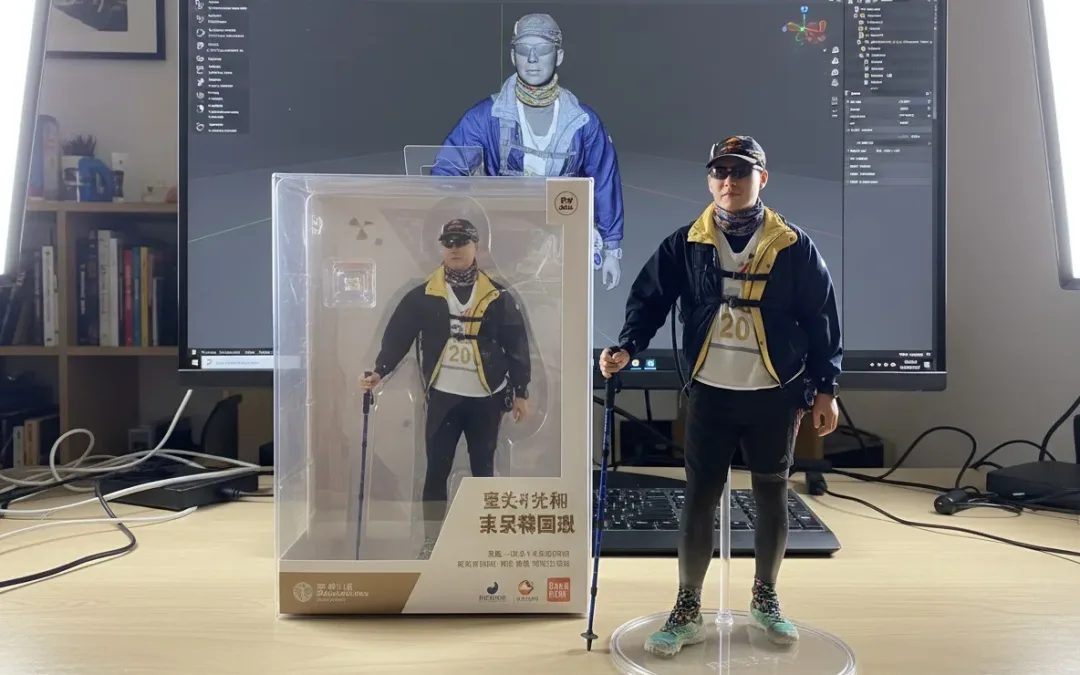
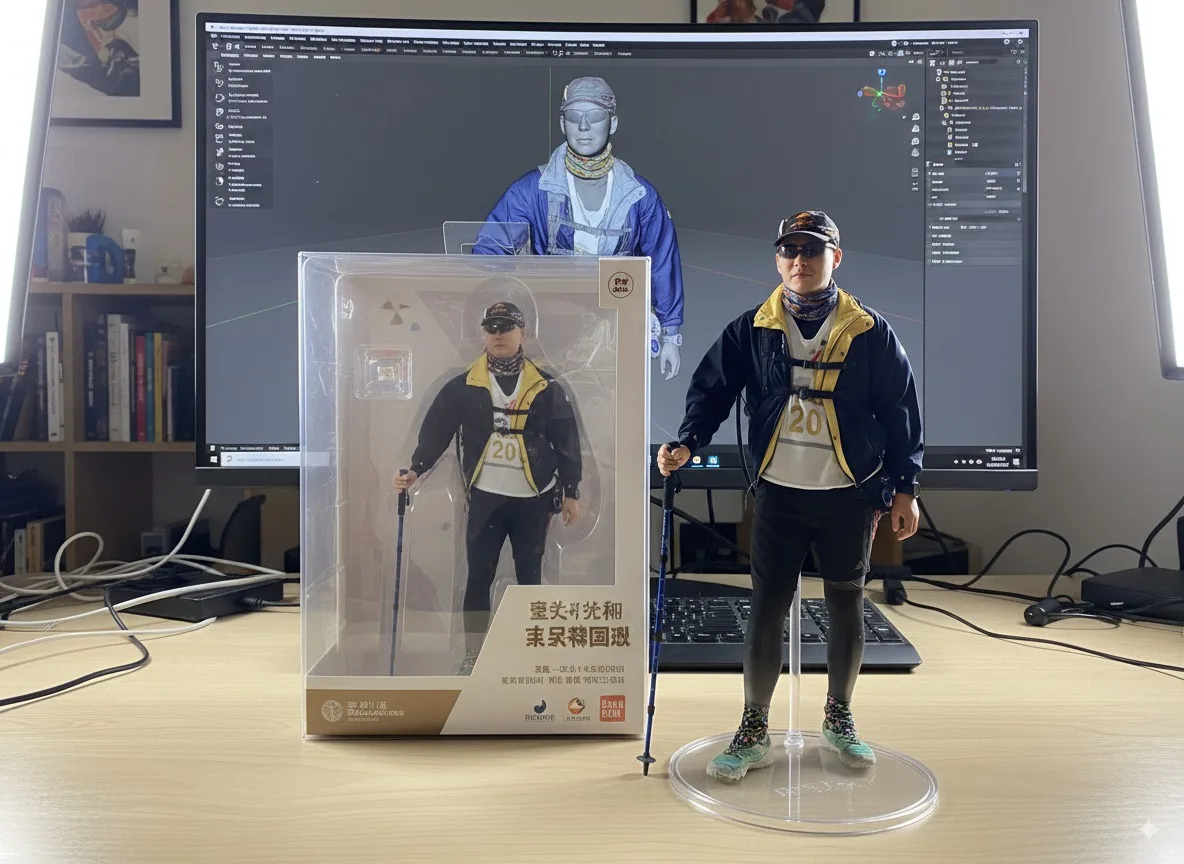
你是否曾想把自己的照片變成桌上擺放的公仔模型?現在可以透過 Google 最新的 Nano Banana 模型(亦稱 Gemini 2.5 Flash Image)!你只需在 Google AI Studio 或 Gemini App 上上傳人像照片,就能透過文字描述,生成一張效果逼真的「真人公仔照」,免費、免 VPN,簡單又好玩!
快速上手教學(適用 AI Studio 或 Gemini App)
前往 Google AI Studio 或使用 Gemini App。
選擇模型為 Gemini 2.5 Flash Image(Nano Banana)。
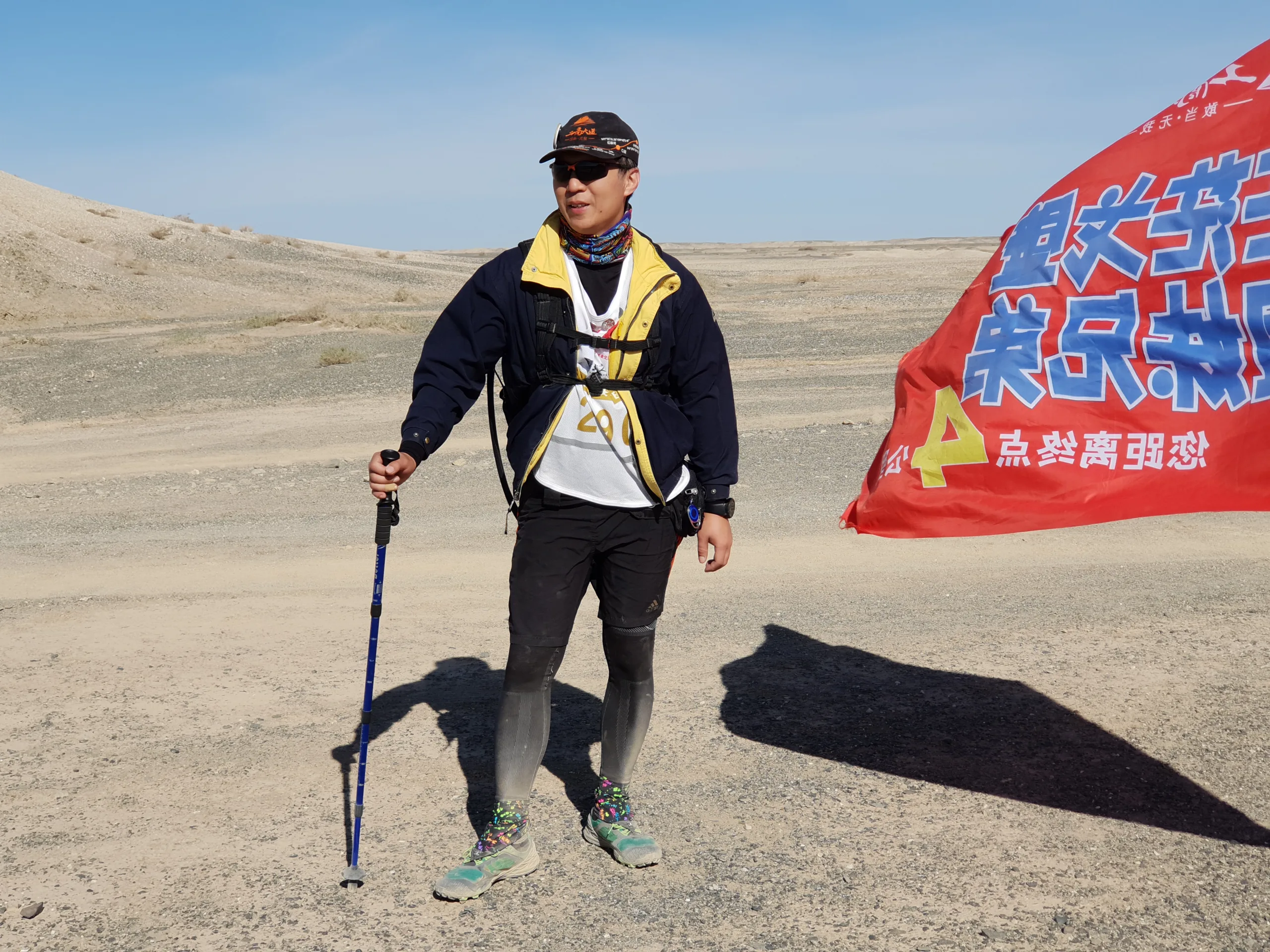
上傳你的照片(建議用正面自拍)。
輸入以下 prompt:
A hyper-realistic 1/7 scale figurine of a character, designed as a finished commercial product, placed on an iMac computer desk with a white Apple keyboard. The figurine stands on a clean, round transparent acrylic base with no labels or text. Professional studio lighting highlights the sculpted details. On the iMac screen in the background, display the ongoing ZBrush modeling process of the same figurine, showing the contrast between “work in progress” and the finished product. Next to the figurine, place its packaging box with rounded corners and a transparent front window. The box is open at the top, revealing only the inner transparent plastic clamshell, and its height is slightly taller than the figure, realistically sized to contain it.
git clone https://github.com/mannaandpoem/OpenManus.git
cd OpenManus
安裝所需依賴:
pip install -r requirements.txt
修改設定檔(config.toml):
cp config/config.example.toml config/config.toml
config.toml的內容如下,可以參考後修改
# Global LLM configuration
#[llm]
# model = "claude-3-7-sonnet-20250219"        # The LLM model to use
# base_url = "https://api.anthropic.com/v1/"  # API endpoint URL
# api_key = "YOUR_API_KEY"                    # Your API key
# max_tokens = 8192                           # Maximum number of tokens in the response
# temperature = 0.0                           # Controls randomness

# [llm] #AZURE OPENAI:
# api_type= 'azure'
# model = "YOUR_MODEL_NAME" #"gpt-4o-mini"
# base_url = "{YOUR_AZURE_ENDPOINT.rstrip('/')}/openai/deployments/{AZURE_DEPOLYMENT_ID}"
# api_key = "AZURE API KEY"
# max_tokens = 8096
# temperature = 0.0
# api_version="AZURE API VERSION" #"2024-08-01-preview"

[llm] #OLLAMA:
api_type = 'ollama'
model = "llama3.2"
base_url = "http://localhost:11434/v1"
api_key = "ollama"
max_tokens = 4096
temperature = 0.0

# Optional configuration for specific LLM models
#[llm.vision]
#model = "claude-3-7-sonnet-20250219"        # The vision model to use
#base_url = "https://api.anthropic.com/v1/"  # API endpoint URL for vision model
#api_key = "YOUR_API_KEY"                    # Your API key for vision model
#max_tokens = 8192                           # Maximum number of tokens in the response
#temperature = 0.0                           # Controls randomness for vision model

[llm.vision] #OLLAMA VISION:
api_type = 'ollama'
model = "llama3.2-vision"
base_url = "http://localhost:11434/v1"
api_key = "ollama"
max_tokens = 4096
temperature = 0.0

# Optional configuration for specific browser configuration
# [browser]
# Whether to run browser in headless mode (default: false)
#headless = false
# Disable browser security features (default: true)
#disable_security = true
# Extra arguments to pass to the browser
#extra_chromium_args = []
# Path to a Chrome instance to use to connect to your normal browser
# e.g. '/Applications/Google Chrome.app/Contents/MacOS/Google Chrome'
#chrome_instance_path = ""
# Connect to a browser instance via WebSocket
#wss_url = ""
# Connect to a browser instance via CDP
#cdp_url = ""

# Optional configuration, Proxy settings for the browser
# [browser.proxy]
# server = "http://proxy-server:port"
# username = "proxy-username"
# password = "proxy-password"

# Optional configuration, Search settings.
# [search]
# Search engine for agent to use. Default is "Google", can be set to "Baidu" or "DuckDuckGo".
# engine = "Google"

近期留言