by Rain Chu 3 月 7, 2022 | IIS , PHP , wordpress
很少人使用 IIS 架設 wordpress ,因為文件不好找,例外狀況又多,這次又發現 WordPress 的 Route 規則怪怪的,會在所有路徑中出現 index.php? ,這才意識到之前用 nginx 時候這些規則都早就解決,只要研究如何處理這樣的困境,研究之後得到有三個要點。
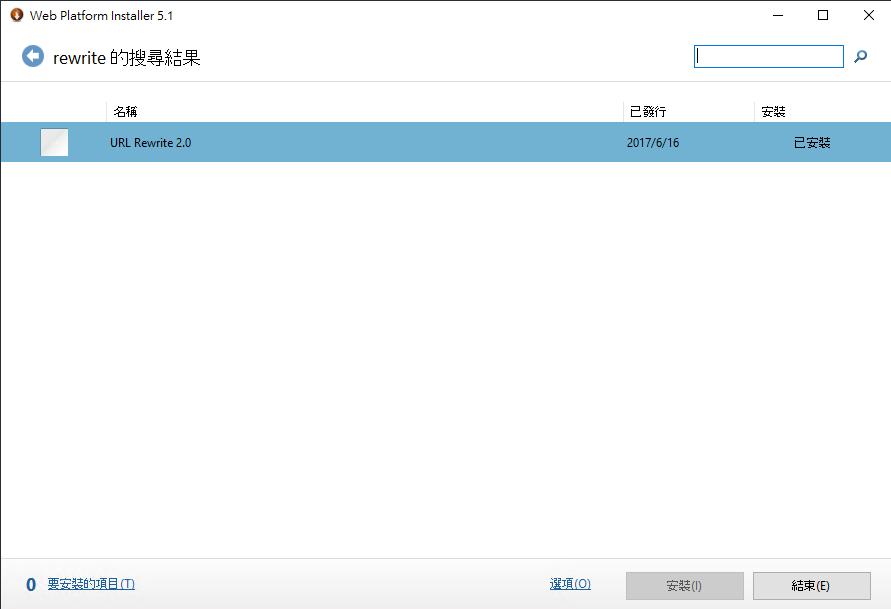
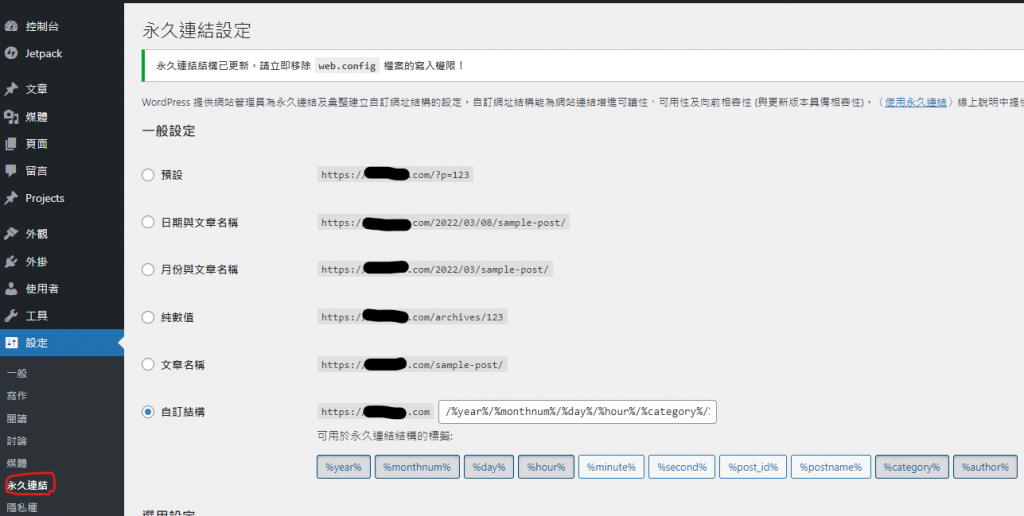
IIS 需要有 URL rewrite 擴充 WordPress 後台要去「設定->永久連結」設定自訂結構 WordPress 中的 web.config 需要加入 rewrite rule
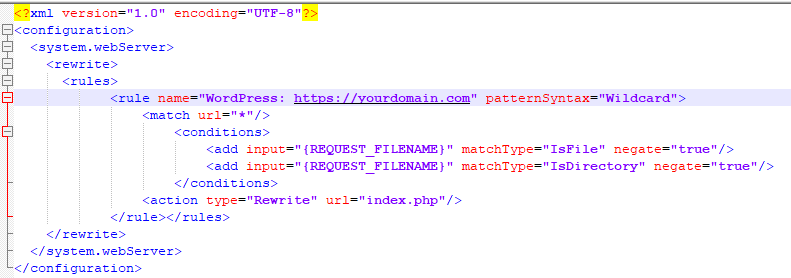
先安裝 IIS 的 URL Rewrite 回到 WordPress 的後台設定永久連結 更改 web.config 設定 rewrite rule <rewrite>
<rules>
<rule name="WordPress: https://yourdomain.com" patternSyntax="Wildcard">
<match url="*"/>
<conditions>
<add input="{REQUEST_FILENAME}" matchType="IsFile" negate="true"/>
<add input="{REQUEST_FILENAME}" matchType="IsDirectory" negate="true"/>
</conditions>
<action type="Rewrite" url="index.php"/>
</rule></rules>
</rewrite> Apache and Nginx 的設定作法
https://www.php.cn/cms/wordpress/459657.html
by Rain Chu 3 月 4, 2022 | ASP.NET , C# , 程式
要用 ASP.NET MVC 開發 WEB API給大家使用,前端 javascript 工程師,總是會遇到錯誤訊息 Response to preflight request doesn’t pass access control check: It does not have HTTP ok status,這是一個超常見的 CORS (Cross-Origin Resource Sharing) – 跨來源資源共用錯誤訊息,網路上很多解法,但可以用的情境都不太一樣,我這邊提供一個我覺得最簡單請快速的方法給大家。
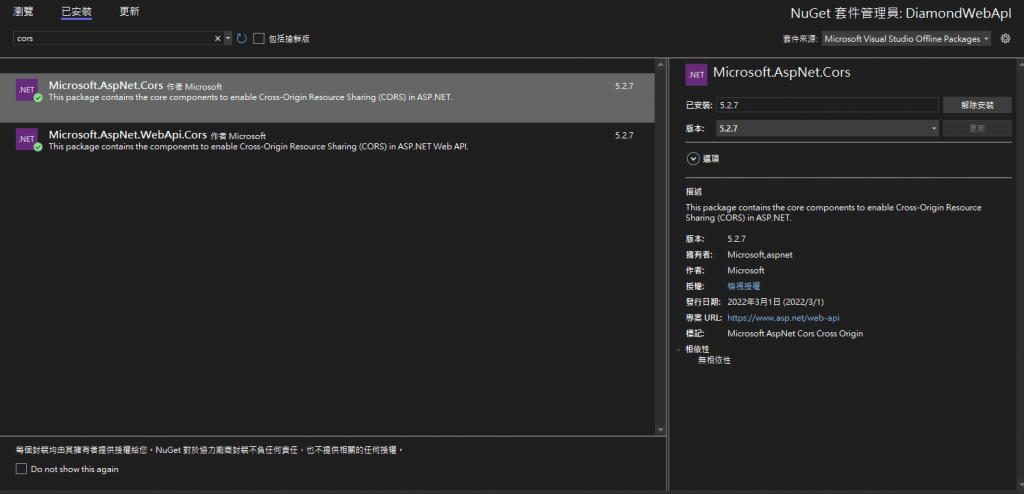
解決方法是利用 NuGet 先安裝 Cors 套件
先上 NuGet 搜尋 Microsoft.AspNet.Cors , Microsoft.AspNet.WebApi.Cors,並且安裝起來
將 Cors 註冊起來
在 App_Start/WebApiConfig.cs 的 Register function 加入以下的程式碼
會是長成以下的程式碼
        public static void Register(HttpConfiguration config)
        {
            // Web API 設定和服務
            config.EnableCors();

            // Web API 路由
            config.MapHttpAttributeRoutes();

            config.Routes.MapHttpRoute(
                name: "DefaultApi",
                routeTemplate: "{controller}/{id}",
                defaults: new { id = RouteParameter.Optional }
            );
        }
設定 WebAPI 的CORS 權限
我們可以在 WebApi 的 Class 上面設定,也可以在 Function 上做標記,但要注意的是不能有多個 CORS 繫結,如果你在 web.config 中設定,這邊就不能再做設定,如果你在 class 等級上設定了, function 等級就不能再設定,也是因為這個原因,所以我喜歡在 function 等級設定或是 class 等級上設定,web.config 比較少去做設定,雖然他有不用修改程式碼的好處。
其中設定值的資料參考請看https://docs.microsoft.com/en-us/iis/extensions/cors-module/cors-module-configuration-reference
origins,可以設定 (*) ,也可以指定特定網域,看你要對誰開放 headers,通常用 (*) 就可以了 methods,通常用 (*) 就可以了 [System.Web.Http.Cors.EnableCors(origins: "https://yourdomain.com", headers: "*", methods: "*")]
public class ValueController : ApiController
{
} CORS web.config 的設定方法
<?xml version="1.0" encoding="UTF-8"?>
<configuration>
    <system.webServer>
        <cors enabled="true" failUnlistedOrigins="true">
            <add origin="*" />
            <add origin="https://*.yourdomain.com"
                 allowCredentials="true"
                 maxAge="120">
                <allowHeaders allowAllRequestedHeaders="true">
                    <add header="header1" />
                    <add header="header2" />
                </allowHeaders>
                <allowMethods>
                     <add method="DELETE" />
                </allowMethods>
                <exposeHeaders>
                    <add header="header1" />
                    <add header="header2" />
                </exposeHeaders>
            </add>
            <add origin="http://*" allowed="false" />
        </cors>
    </system.webServer>
</configuration>
by Rain Chu 2 月 28, 2022 | Javascript , 程式
// 發送email
function sendEmail(title,text){
var email = document.createElement("a");
email.id = "sendemail";
email.href = "mailto:[email protected] ?subject="+title+"&body="+ text;
email.click();
} 當使用者在網頁中,再連絡表單中填入資訊後,我們通常會寫入後端資料庫,並且發送通知,以方便管理者使用,但沒有資料庫的人,就需要仰賴使用者自己的電子郵件了,為了統一格式方便,我們還是提供聯絡表單,先幫忙使用者把資料正規化一下,然後在協助它們送出資訊給後端的管理者
by Rain Chu 2 月 26, 2022 | Arduino , ESP32 , MicroPython , 未分類 , 線上學習
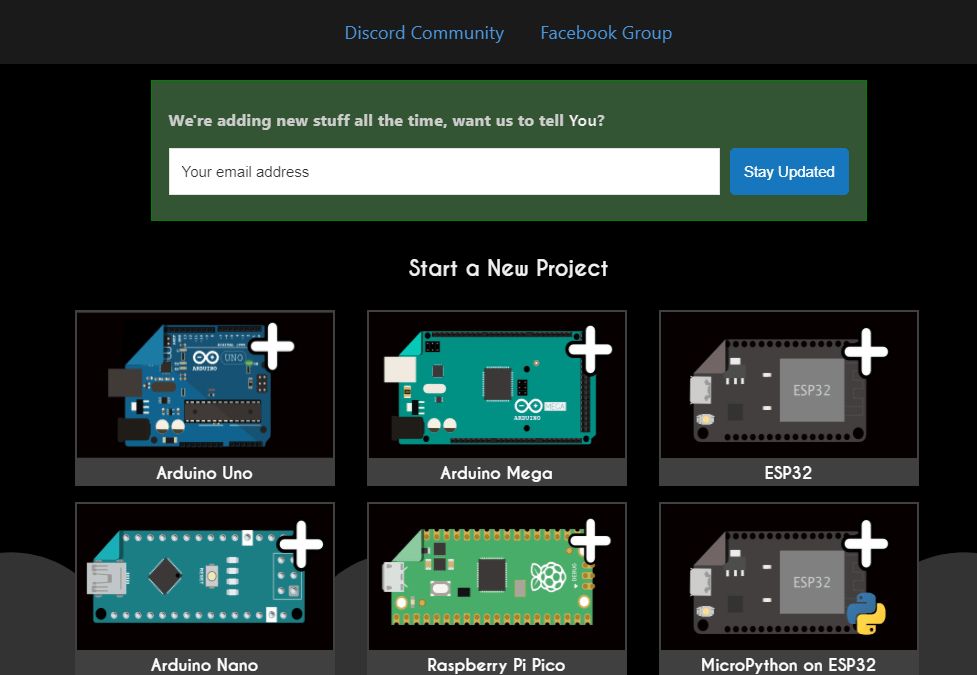
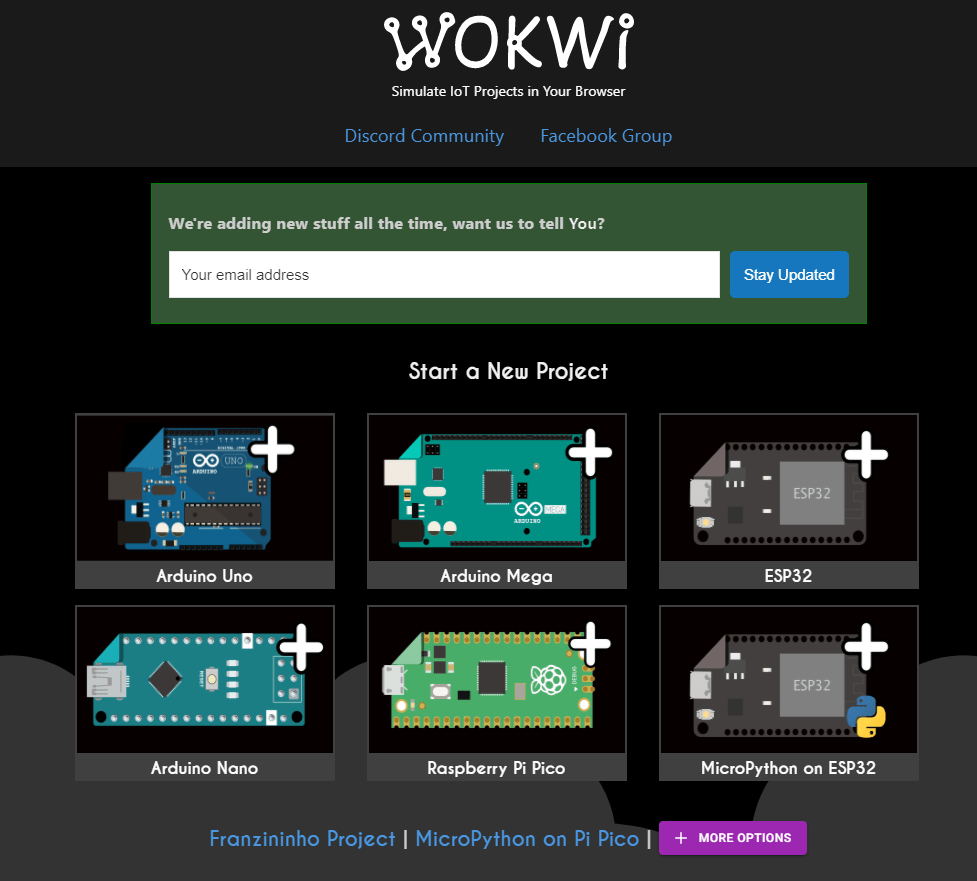
最近因為常常需要教別人開發自己的硬件,但硬體的期初的投資巨大,而 Wokwi 是一個由創客開發給創客並且免費使用,Arduino和各種電子元器件在線模擬器,支援 Raspberry Pi PICO 、 ESP32 、 TinyPICO 、Arduino 、ATTiny85,程式語言可以用 Arduino , MicroPython ,也可以利用 GitHub 提交自己想要的程式語言以及硬體。
支援中文的說明文件
https://docs.wokwi.com/zh-CN/
熱心網友提供的教學文件
AutoDesk 出的在線模擬器
https://www.tinkercad.com/learn/circuits
https://www.tinkercad.com/
電子遊戲,第一次觸電
https://store.steampowered.com/app/1781160/Electrician_Simulator__First_Shock/
Arduino 官方也推薦用 Wokwi 來學習
https://create.arduino.cc/projecthub/Hack-star-Arduino/how-to-use-wokwi-arduino-simulator-in-2022-what-is-wokwi-304e6b
Wokwi 官方 Youtube
https://www.youtube.com/c/Wokwi
硬體那裏買
https://www.waveshare.net/
由影片入門看這篇
VIDEO
看看 Raspberry Pi 有多強大
by Rain Chu 2 月 20, 2022 | Javascript , React , 教育 , 線上學習
有鑑於最近大家的一股腦兒的跟風 wordle 這款遊戲,讓我們不得不正視這款猜字或是猜東西的小遊戲如何讓大家瘋迷,並且也想要改善我們的拼字練功坊 ,看能不能讓它有趣一點,在這之前先說說我看到的5種 wordle 應用。
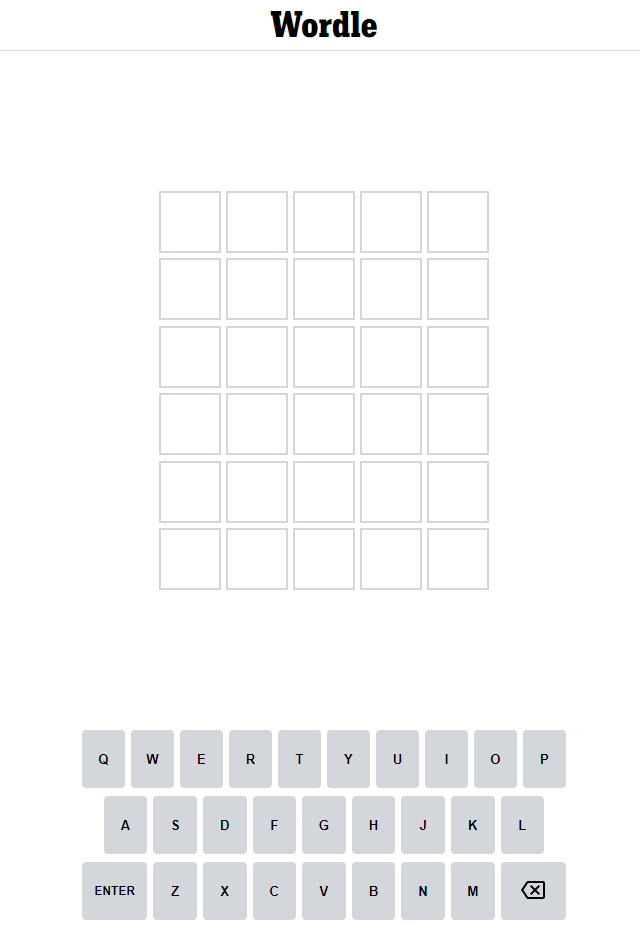
正統英文版的猜英文 Wordle
這款已經紅到了被紐約時報重金買下來的遊戲版本,已經難到了讓我自我放棄的程度,上要知天文,下要知寶可夢,讓只會中文的我,放棄人生。
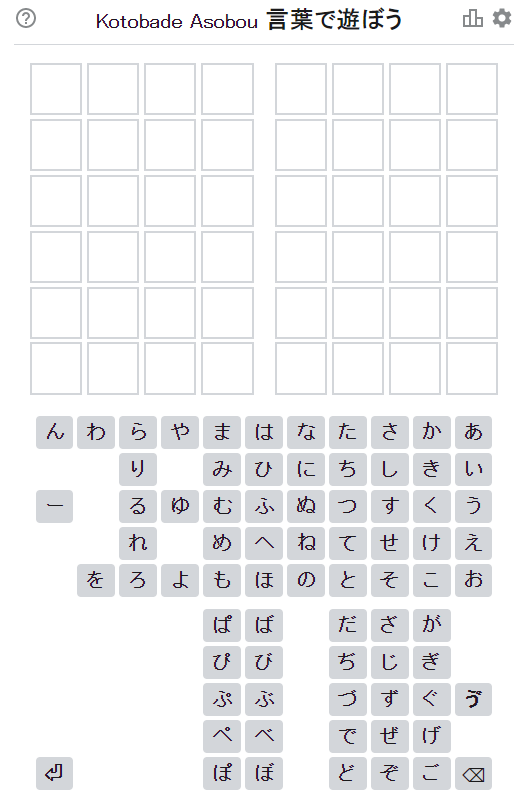
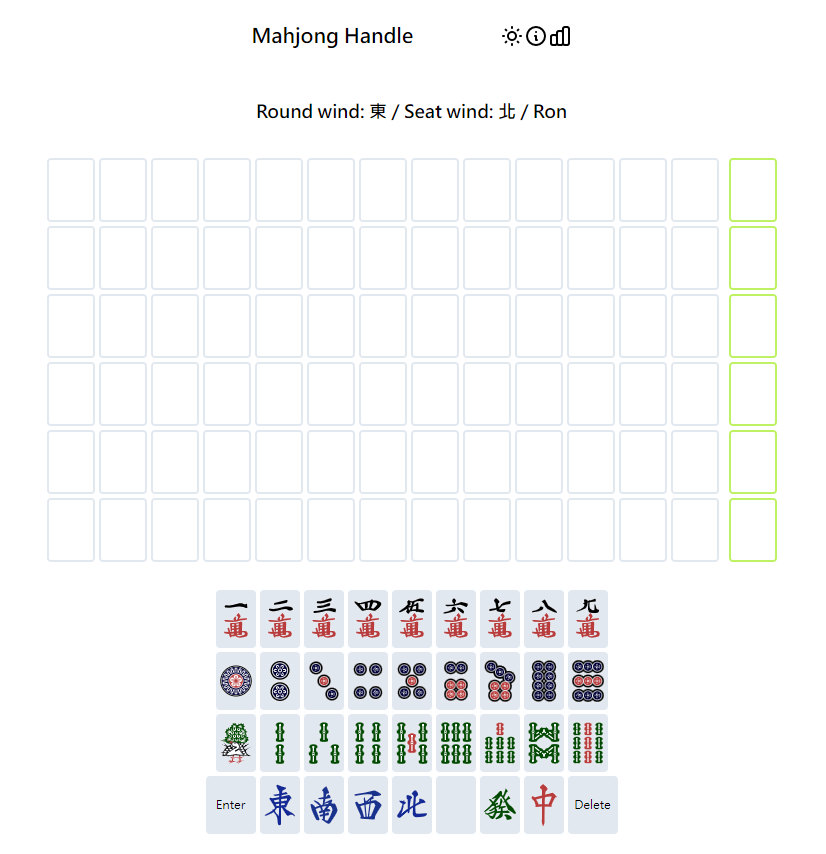
這款猜日文遊戲跟英文版本大同小異,但我愛的是它也有 OpenSource ,可以到 Github 上下載 mahjong-hand-guessing-game
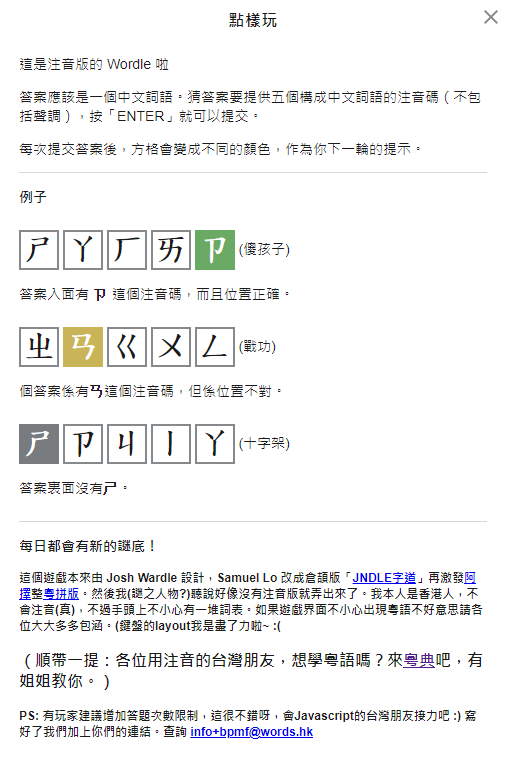
這款看起來是利用 opensource 去發展的中文注音版本,雖然說是香港人開發的,但很適合台灣人使用(因為學的是注音),一樣是會每天有不同的題庫來考考大家
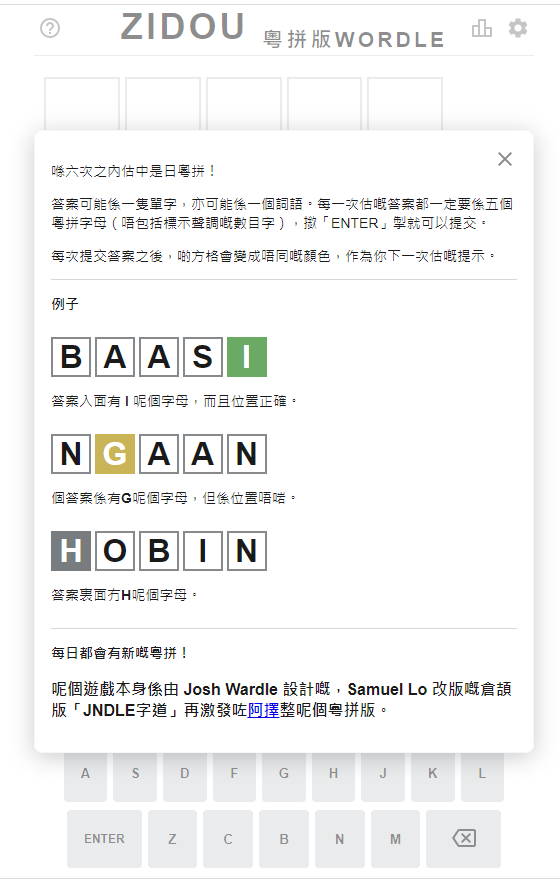
同場加映,粵語版本的 wordle 接下來就不僅僅只有猜字了,開始有人腦洞大開,加入了各種的民族元素,不過開始者是採用了日本麻將,為 14 張牌型,鍵盤上是各種萬、筒、條跟字,共有六次機會猜題機會,比較有趣的是它也有東北風的概念
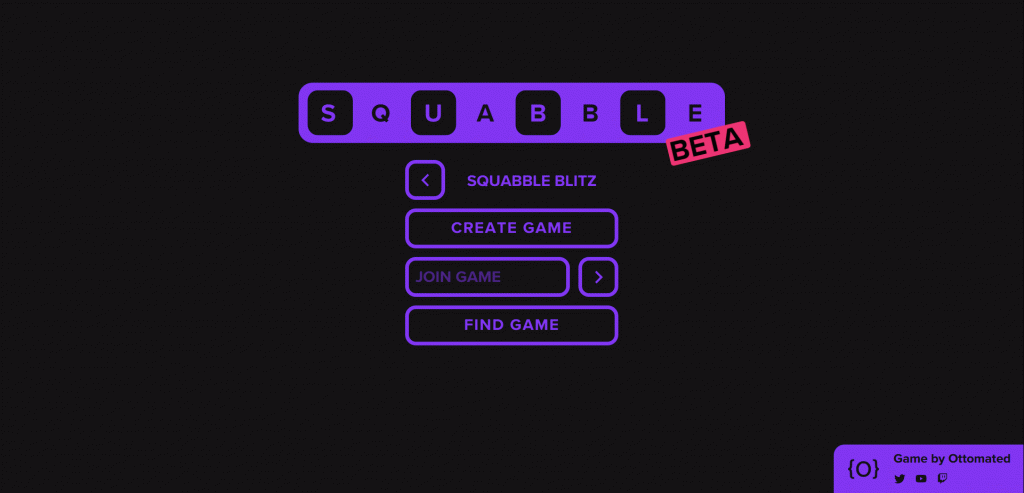
大逃殺版本的 wordle ? 為什麼說他是大逃殺版本,因為你同時可以跟最多 99 人一起玩,在時間內,最後只會留下一個人為勝利者,也就是說你不僅只有要猜對字,還要能跟其他人競爭、跟時間賽跑,你每答對一題,就可以對其他人發動攻擊,扣除他們的生命力
by Rain Chu 2 月 18, 2022 | IIS , PHP , Windows , wordpress
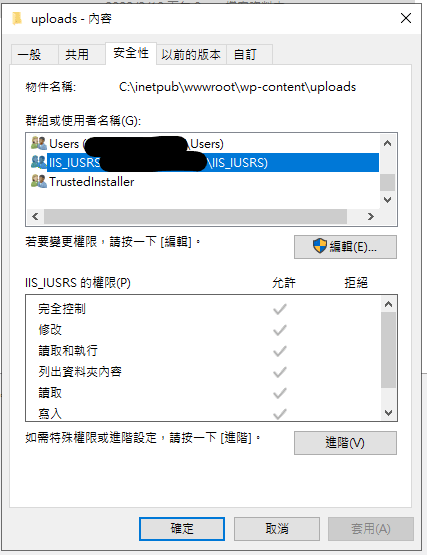
通常用 WordPress 的人,多數會選擇在 Linux + nginx or apache + php 的解決方案,在這個架構下,權限控管通常是 www-data 所去主管的,在 IIS 中的權限控管相對複雜許多,但直接對應 Linux 系統的是 IIS_IUSRS,這次新安裝在 IIS 的 WordPress ,發現了上傳圖片,明明有在目錄中出現,但卻無法在網站中顯示,網站直接存取圖片時候,會發生代碼 500 的錯誤,查證後,確定是圖片的權限無法讓 IIS_IUSRS 讀取,直接將目錄的權限開放後即可在網站上看到上傳的檔案。
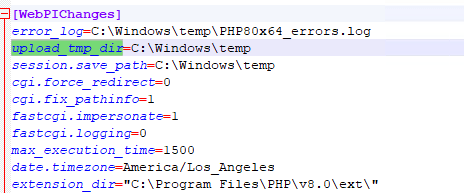
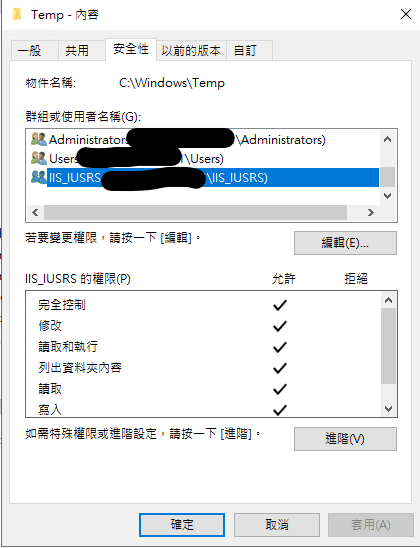
但詭異的是,再次作圖檔上傳測試的時候,發現相同可以上傳但無法顯示圖片的問題一直出現,但只要改了檔案權限後就可以讀取,最後往前去追溯 php 上傳並且產生圖檔的過程後,發現她會先將檔案上傳到 Windows\Temp 然後再複製到 inetpub\wwwroot\wp-content\uploads ,造成檔案的權限是繼承 Windows\Temp 的權限過來的
路徑在C:\Program Files\PHP\v8.0 問題的源頭要將 C:\Windows\temp 的目錄改成讓 IIS_IUSRS 可以修改即可
當你修改 Windows\temp 下的權限會有很多緊告出現,你還可以透過修改 php.ini ,將暫存目錄移動更好的位置中,設定良好的權限後,一直可以解決此一個問題
想知道我如何替PHP除錯?


近期留言